
History and reprints
Historik (History) shows deliveries that are approved. From here you print the delivery list again if printing failed or the paper has gone missing.
Before you start
- At least one delivery list is approved, see Deliveries. Otherwise it says "Inga leveranser" (No deliveries).
See earlier deliveries
Tap Historik on the start page. Each row is a delivery list with its number, the number of orders, Levererad (Delivered) with date and time, and status Slutförd (Completed).
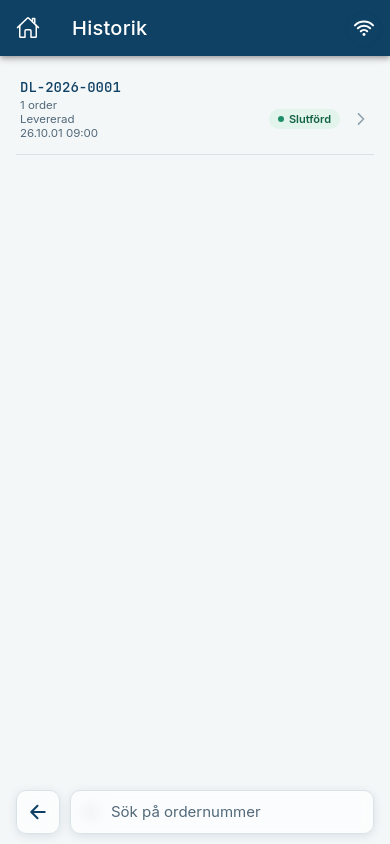
Tap a row to see which orders were included.
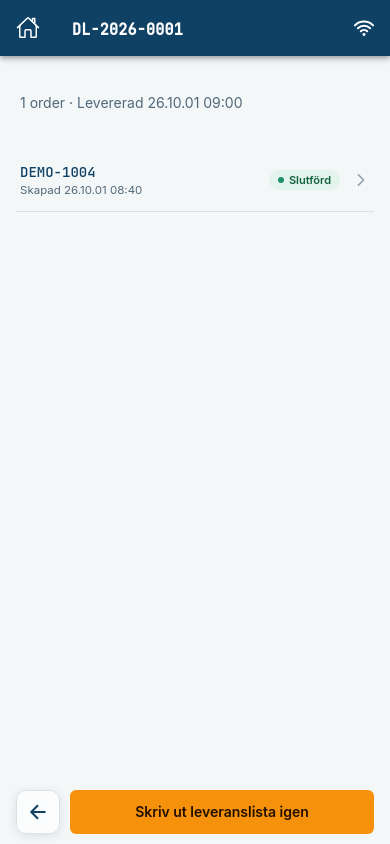
Print the delivery list again
- Open the delivery in Historik.
- Tap Skriv ut leveranslista igen (Print delivery list again).
Expected: The list is sent to Cloudlabel and printed again.
Can be switched off
Reprinting the delivery list and pallet labels is a function your company can have switched off. The button is then missing.
Common errors
| Message | What to do |
|---|---|
| Kunde inte hämta historiken. Kontrollera anslutningen och försök igen. (Could not fetch the history.) | Check that you are online and try again. |
| Leveransen kunde inte hittas. Den kan ha tagits bort. (The delivery could not be found.) | Go back to the list. |